
Docker quickstart
Start BonVoyage
Section titled “Start BonVoyage”Run this command from the repository root:
docker compose -f deploy/compose/local.yml up --build --detach --waitThe profile builds and starts three roles:
upstreamreturns controlled responses.snapshot-compilervalidatesconfig/examples/local.yamland writes the immutable runtime snapshot.bonvoyageloads that snapshot and starts one overprovisioned shard for local evaluation.
Wait until the upstream is healthy and the gateway is running.
The evaluation profile binds the traffic, metrics, and admin listeners to
127.0.0.1. It is not exposed to the local network by default.
The data-plane image build runs its compiled component test suite before it emits the minimal runtime image. The snapshot compiler must then exit successfully before Compose starts the gateway.
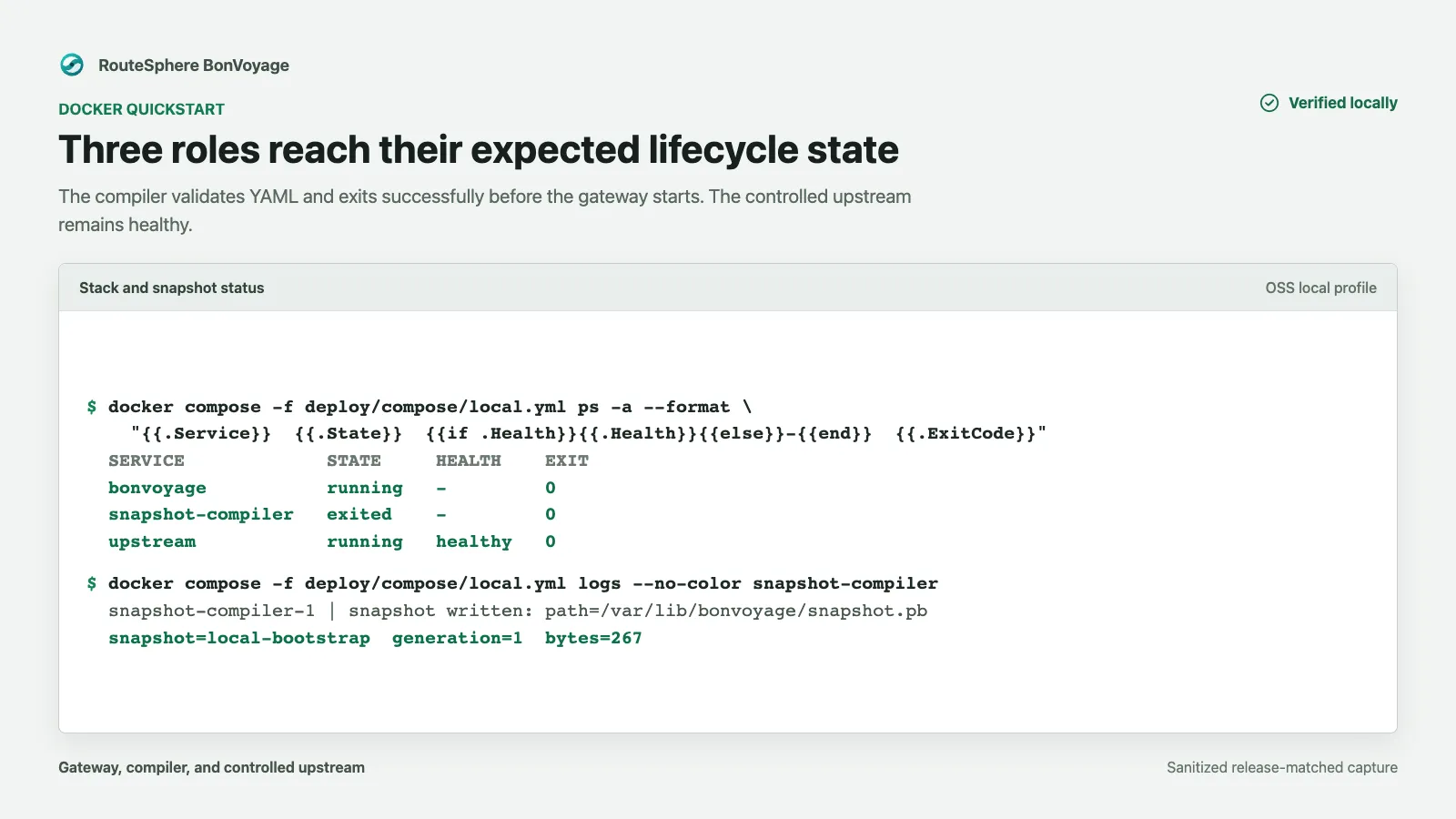
The capture shows the expected lifecycle after the release-matched local
profile starts: the compiler completed generation 1, the upstream is healthy,
and the gateway is running. Relative startup times and container identifiers
are intentionally omitted because they are not deployment invariants.
Verify traffic
Section titled “Verify traffic”Run the complete bounded check:
make verify-local-deploymentThe verifier checks all three role lifecycles, sends 25 fixed and 25 proxied
requests, validates exact request and upstream-selection counter deltas, and
requires zero route misses, 4xx/5xx responses, request timeouts, overload
rejections, upstream failures, allocator failures, abandoned failed futures,
and reactor-stall reports. A successful run ends with status=pass.
The following individual commands are useful when diagnosing a failed check.
The example snapshot includes a fixed readiness response:
curl --fail --show-error http://127.0.0.1:8080/bonvoyage/readyExpected body:
readyVerify that ordinary traffic crosses the listener, route, upstream pool, and controlled upstream:
curl --fail --show-error http://127.0.0.1:8080/healthzExpected body:
okVerify the process-level readiness endpoint separately:
curl --fail --show-error http://127.0.0.1:9901/health/readyPrometheus metrics are exposed on the metrics listener:
curl --fail --show-error http://127.0.0.1:9090/metricsThese three checks answer different questions: the route check proves request handling, the admin check proves process readiness, and the metrics check proves the observability listener is reachable.
Use Verify a local deployment when you need the focused status, log, and metric checks without repeating this tutorial.
Stop cleanly
Section titled “Stop cleanly”docker compose -f deploy/compose/local.yml down --volumesRemoving the named snapshot volume prevents a later evaluation from silently reusing an older compiled snapshot.
Troubleshooting
Section titled “Troubleshooting”| Symptom | Check |
|---|---|
| Build stops during dependency compilation | Confirm Docker has sufficient memory and free disk space. |
| Gateway never becomes ready | Inspect the snapshot compiler result before the gateway logs. Invalid configuration must not activate. |
| Port is already allocated | Stop the conflicting local service or change the host-side mapping for the evaluation. |
| Route responds but metrics do not | Check port 9090 independently; traffic, admin, and metrics listeners have separate roles. |